Last week, someone contact me through YM (
jeremy_timy). He asked me about "
How to save his artwork to his computer?"
Here's the solution. There are 2 ways to saving your artwork.
1. Using "print screen"- i know that everybody know how to use this method. :)
- press button "
PrtSc" on the keyboard and then paste it in "
Paint"
- after that, save it as bmp or jpeg or png or any type of graphic file.
2. Using "Microsoft Office Document Image Writer"- First step : press "
print" button in your Doodle IMV.
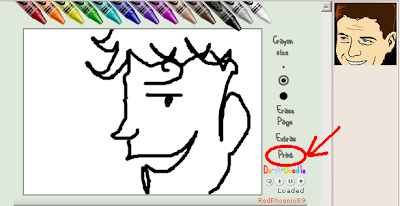
- and then the window like below will appear, then select printer "
Microsoft Office Document Image Writer"
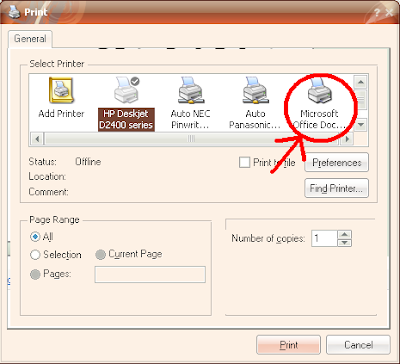
- Then, click "
Print"
- The "
Save As" window will appear. Save your file.
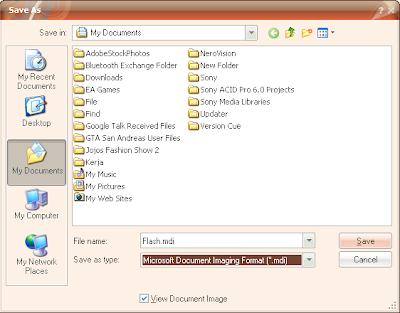
- by using the 2nd method, you can only save your file as a
.mdi format.
- and this is the result


